In Brief
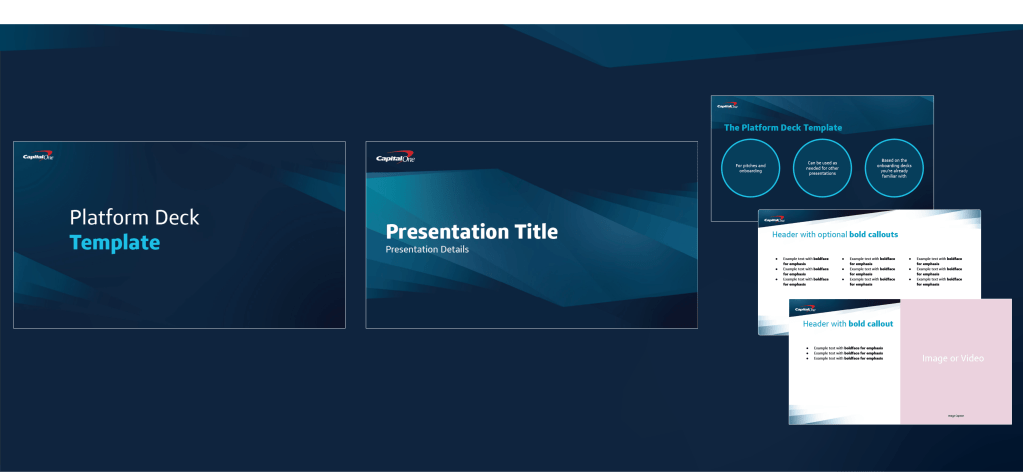


The Need: A multi-use art direction style and template system for presentations that could be used by creatives and non-creatives alike.
Skills In This Case Study:
- Project Management
- Content Writing
- Training Program Development
- UI/UX Principle Application
- Art Direction
The Result: A full spectrum modular system composed of:
- A general art style, suitable for print and digital media
- A complete template system with contribution model
- A training program built from the template system, complete with training sessions
With long-term benefits including:
- Improved project speed for marketing and non-marketing users
- Self-serve capability for colleagues outside of marketing
- Train-the-trainer benefits for colleagues outside of marketing
Refined Requirements
While the initial ask was just focused on a short-term need, it revealed an opportunity to create long-term impact across teams. In order to make that impact, requirements were approached like a user experience.
Experience Needs:
- Templates that:
- Cover most use cases
- Are easy to use and modify by creatives
- Are limited in customization for non-creatives
- Have a solid file structure
- A training program that is easy to train to and from
Art Direction Needs:
- An evergreen aesthetic that can be the launchpad for other campaigns
- Design elements that can be easily understood and updated by fellow creatives
Research
The goals of research included:
- Assess needs and pain points of all users – creatives, non-creatives, and colleagues outside of the marketing team
- Gaining a full understanding of everything a template system can be used for to find common use cases
- Identifying training practices and performance indicators
- Finding the right design language for this project as a whole
Synthesis and Direction
A full-spectrum, cyclical approach was given additional life in synthesis:
- Create the evergreen aesthetic from an evolution of current creative
- Build the design elements in common design programs so creatives can extend the life of the system but also ensure non-creatives don’t make unexpected changes to those elements
- Build the templates themselves in the most commonly used programs for non-creatives across the company: Google Slides and Google Docs, complete with file structures
- Write training materials and documentation in concise and conversational styling so it’s easy to read and understand
Implementation
The general roadmap of the project is shown below, from definition to post-release feedback. Putting the art direction, templates, and training program culminating with feedback gathering to improve the system in further iterations.

 Kit Young Creates